Connected Intelligence
Building Agents with Copilot Studio, AI Builder and AI Search
“A low-code agent is easy to build and easy to make useless. What separates a demo from something deployable is everything outside the agent designer — the grounding that makes answers true, the automation that lets it act, and the Dataverse permissions that decide what it is allowed to see.”
Session Overview
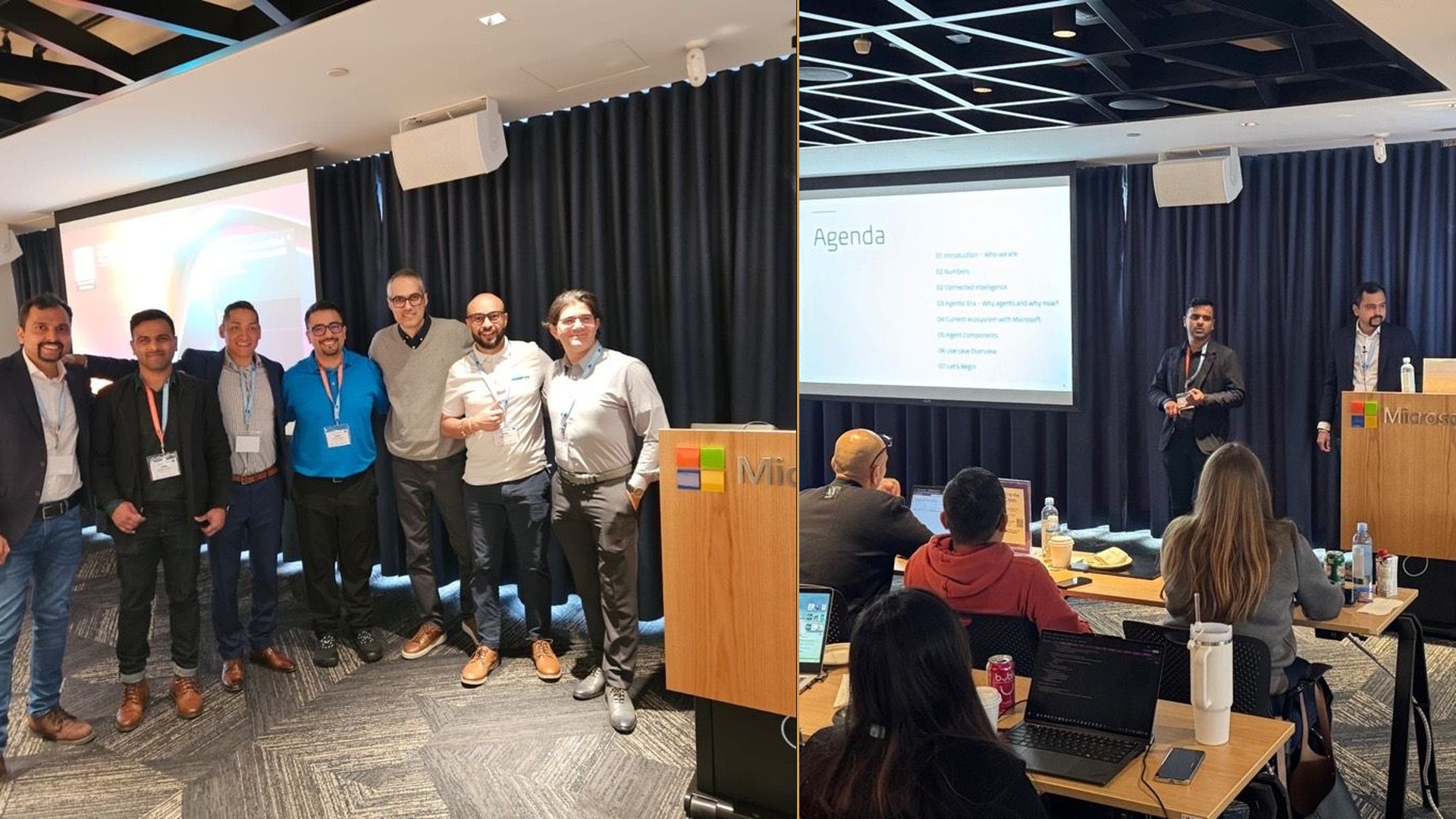
A hands-on conference workshop co-delivered with Mitul Tailor at the Global Power Platform Bootcamp in Vancouver, hosted at Microsoft’s Vancouver office. The session walked makers and developers through building and extending AI-powered agents with Microsoft Copilot Studio, AI Search, AI Builder, and Power Automate — improving user experience and automating business process, with live demos, real-world use cases, and integration practices throughout. Thanks to organizers Arash Aghajani and Mostafa Samani and the volunteer crew, and to sponsors Long View Systems, Steeves and Associates, and the Vancouver Power Platform User Group. Recap on LinkedIn.
The Demonstration
A live build of an AI-powered agent, end to end, in front of the room — starting in Copilot Studio’s low-code surface, then adding the pieces that turn a chat interface into something an organization can actually deploy: grounding it in real content, wiring it into enterprise data, and giving it the ability to trigger downstream actions rather than just answer.
The workshop deliberately spent its time on the integration seams. Standing up an agent takes minutes; making it answer correctly against your own data, respect your own permissions, and do real work is where the effort goes.
Architecture & Technical Stack
- Agent Layer — Copilot Studio: Low-code/no-code agent authoring: topics, triggers, and conversational design, plus the extensibility points that let a citizen-developer agent grow into a governed one.
- Intelligence & Grounding — AI Search, AI Builder, AI Foundry: Retrieval over enterprise content for grounded answers, prebuilt and custom AI models for document and content processing, and Foundry for extending the agent’s reasoning where the built-in capabilities stop.
- Action & Data — Power Automate, Power Platform, Dataverse: Flows that automate workflows and trigger real actions from an agent conversation, with Dataverse and connected enterprise systems as the system of record — and the permission boundary.
Learning Objectives
- Develop and deploy AI agents — design, build, and ship agents using Copilot Studio’s low-code/no-code capabilities.
- Enhance agents with automation — integrate AI Foundry for smarter decision-making and use Power Automate flows to automate workflows and trigger actions.
- Integrate agents with enterprise systems — connect to Power Platform, Dataverse, and other data sources to build seamless, efficient AI-driven solutions.
Key Takeaways
- Grounding is the whole game: An ungrounded agent is a confident stranger. AI Search over your own content is what moves it from plausible to useful.
- An agent that can’t act is a search box: The Power Automate layer is what makes the difference between answering a question and closing a ticket.
- Low-code lowers the build cost, not the design cost: The hard decisions — what the agent is allowed to see, what it’s allowed to do, how it fails — are the same ones a pro-code team would face.
- Dataverse permissions are the security model: Agents inherit the platform’s access boundaries. Designing those correctly up front is cheaper than retrofitting them after a pilot spreads.